Your system
Windows
Windows 10 or 11, 64-bit
Per-user install, no administrator rights. Builds are not code-signed yet: if SmartScreen warns, choose More info → Run anyway.
Habit Guard watches your webcam for a hand going to your mouth, mustache, brows or hair, and interrupts the habit within about a second: a sound, a dimmed screen, a spoken phrase or a notification, your choice. It runs on your computer, costs a fraction of a percent of your CPU and never saves a picture.
Alpha. Built and tested, but new to real desks and webcams. Reports of false alarms and misses help most.
Watching. Pick a habit to see what it looks like, or wait: the demo plays by itself.
Windows 11 on a Ryzen 7 3700X, replaying a 640×480 clip with habit-guard bench.
A hand drifts toward the mouth, the camera notices, the dwell time fills up, the alarm steps in, and it stops the moment the hand is down.
A hand has to stay in a zone for a moment before anything happens, so drinking, wiping your lips or a quick scratch are ignored.
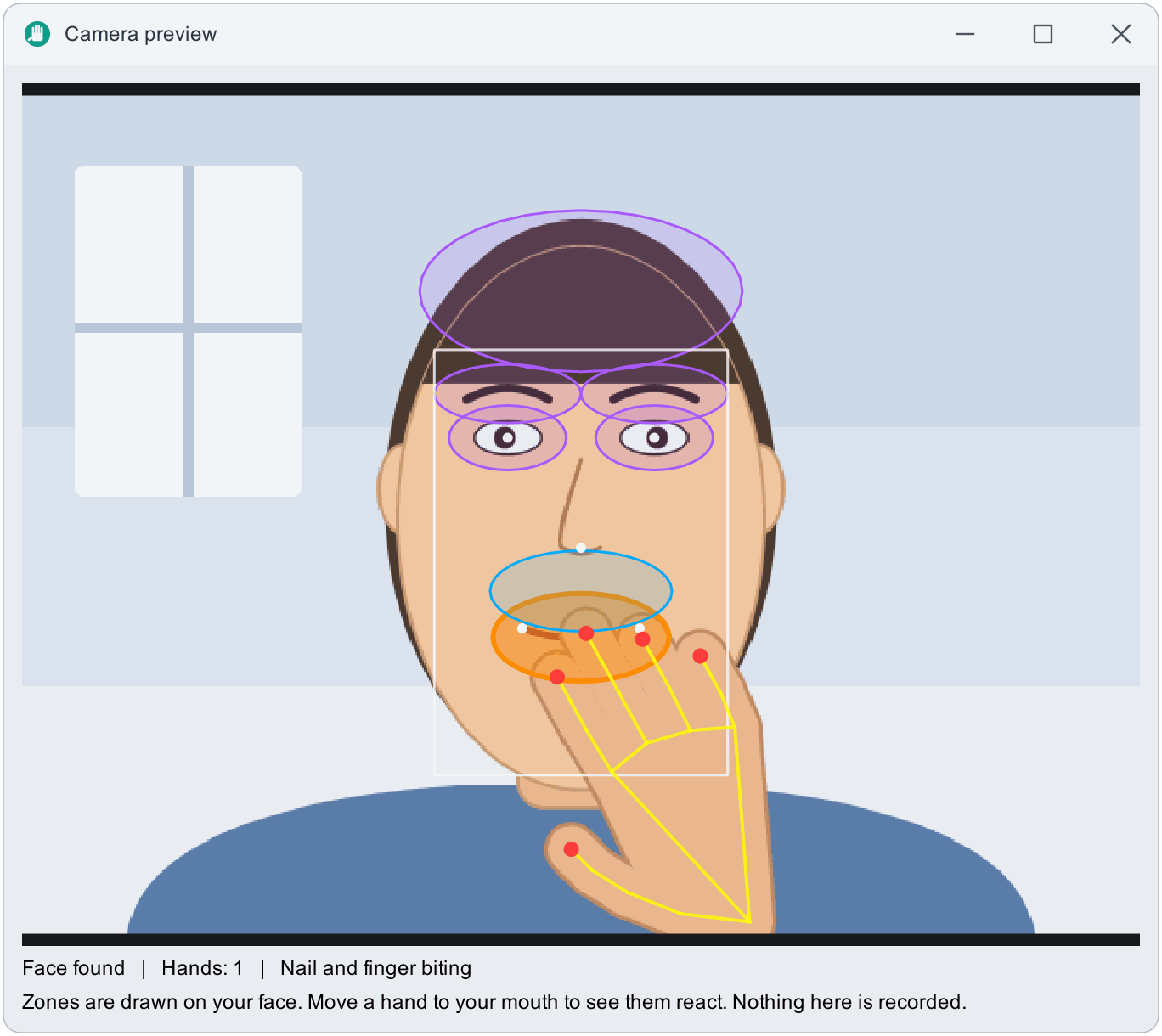
Where your face and both raised hands are in the picture, with light on your face. The camera preview shows exactly what Habit Guard sees.
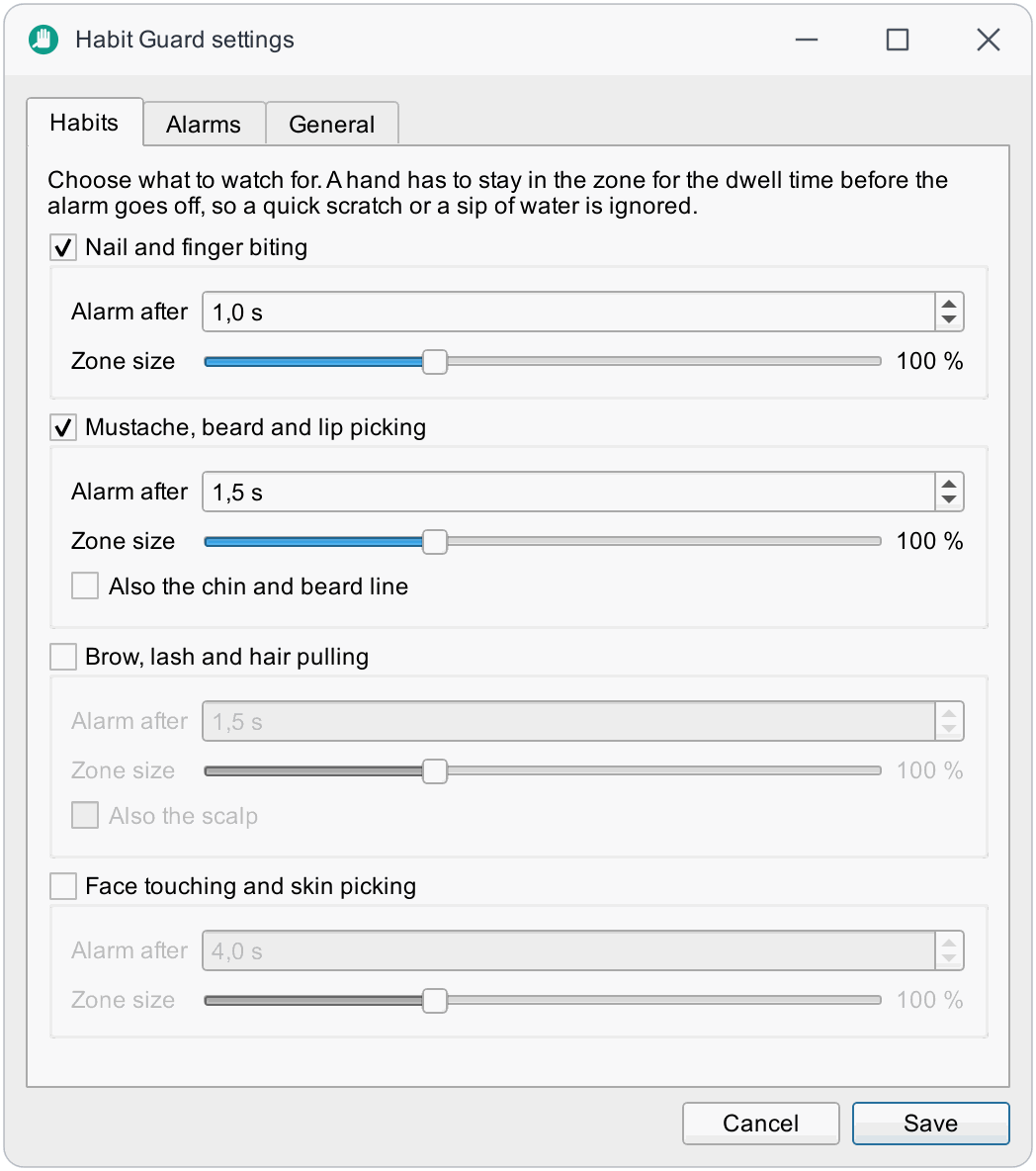
Tick the ones to watch. Each has its own zone on your face, its own dwell time and size. Zones follow you when you lean in or tilt your head.
It waits in the tray. When a fingertip stays in a zone for the dwell time the alarm goes off, and steps up while the hand stays.
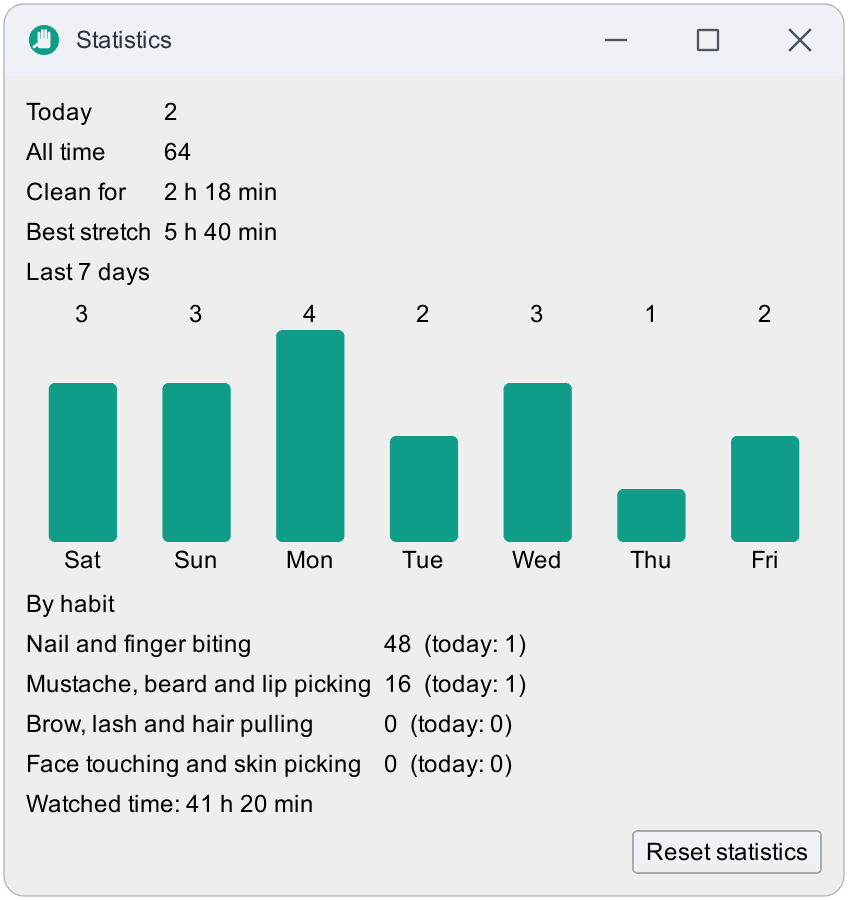
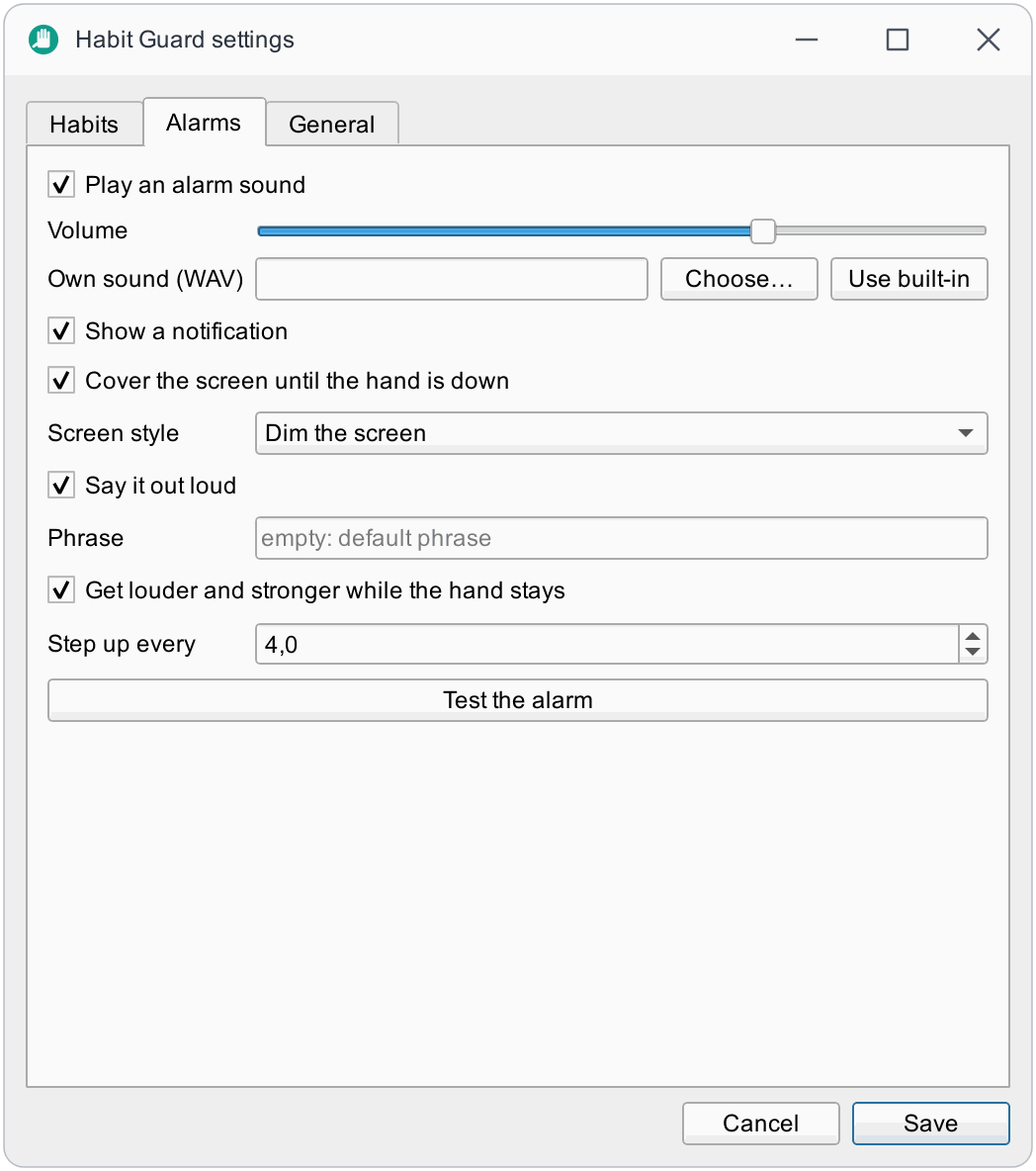
These are the real windows. The camera picture in the preview is an illustration, not a photograph: no real face appears anywhere in this project.
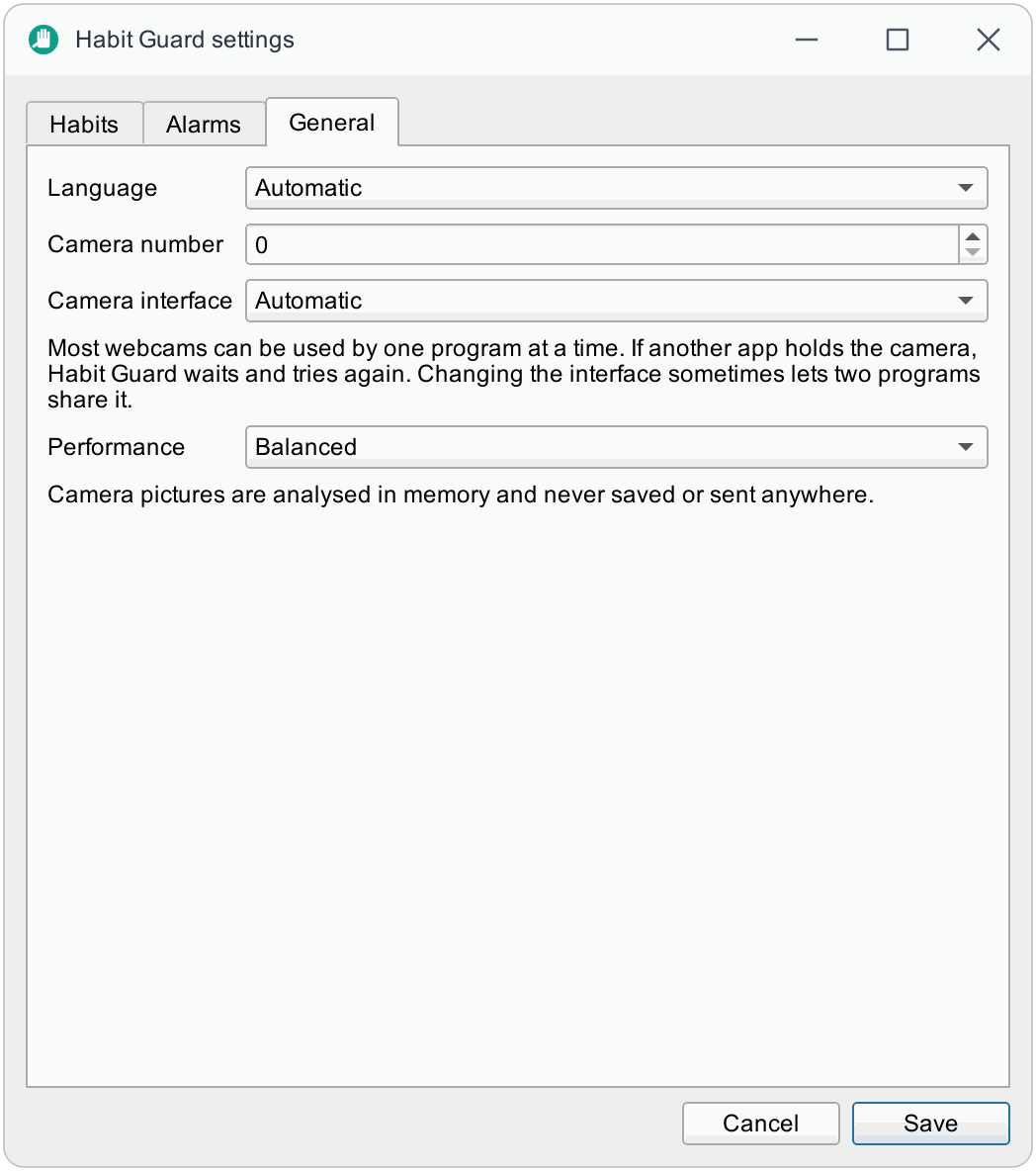
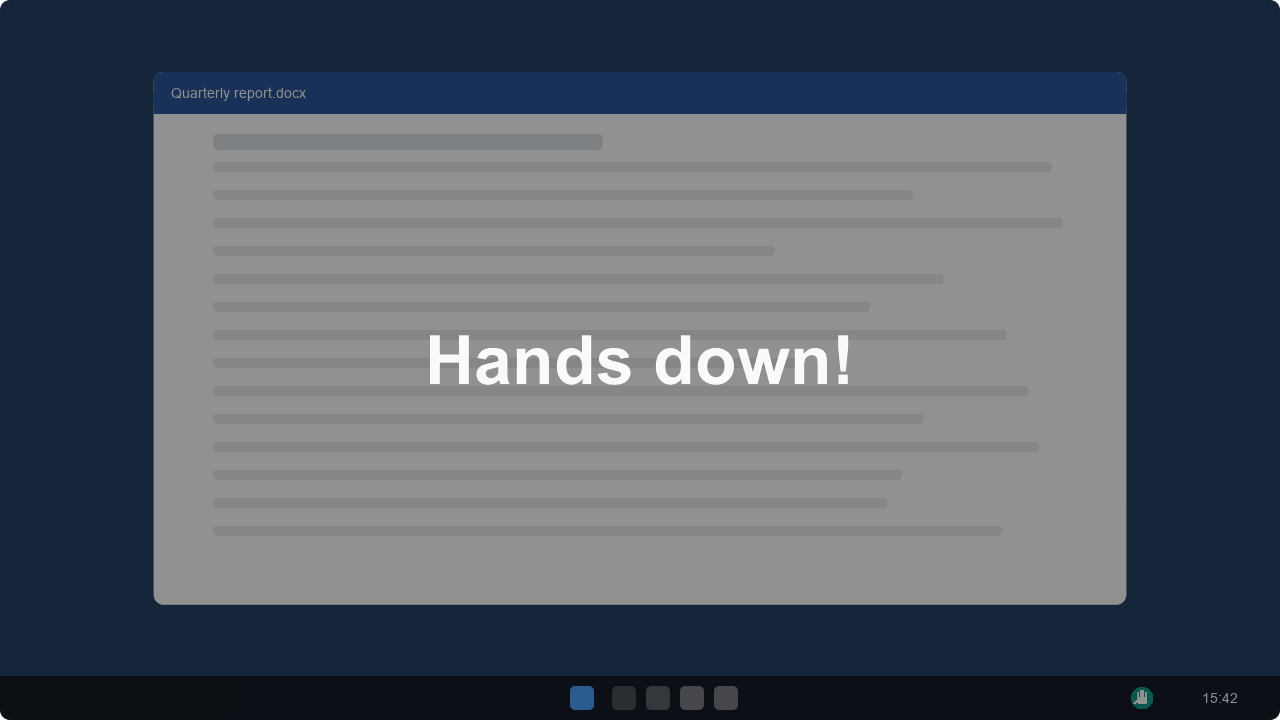
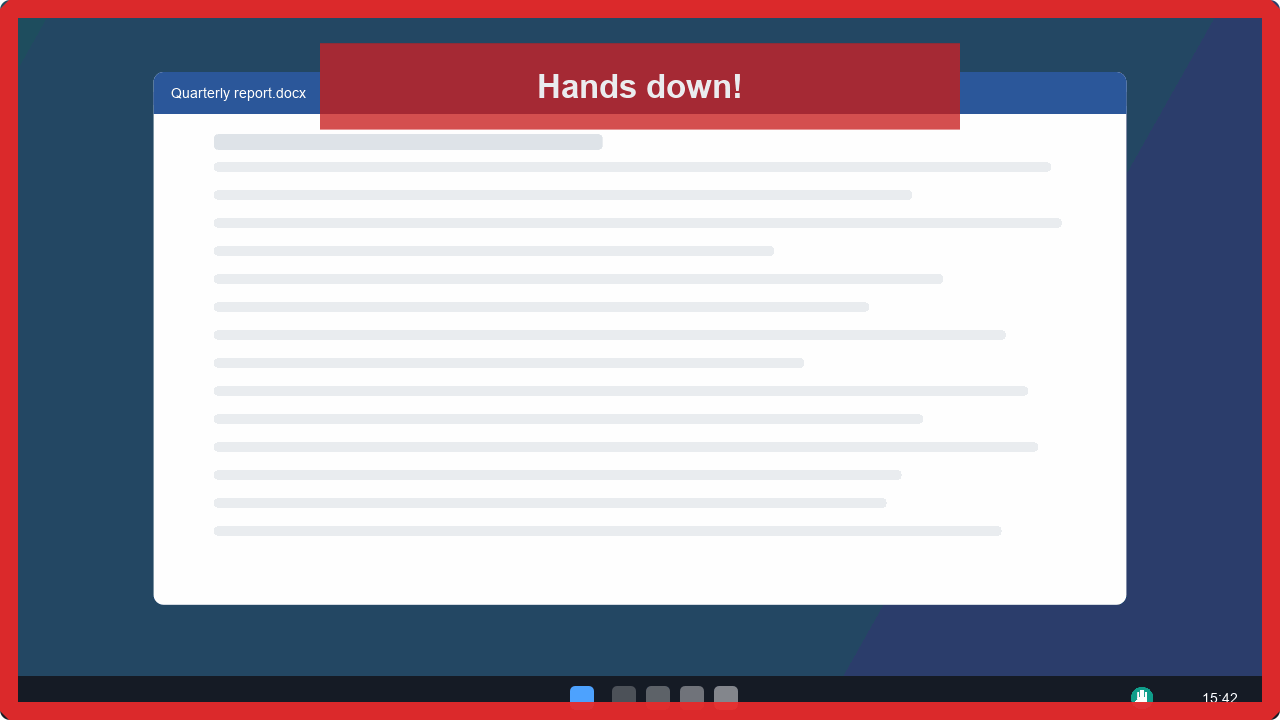
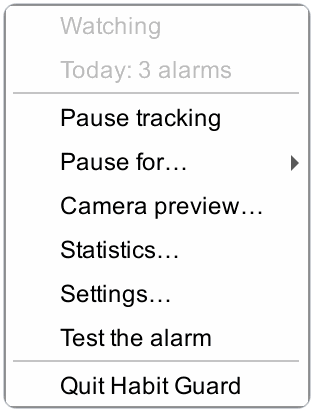
Eating, a video call, a phone call with your chin on your hand: pause tracking from the tray for 15 minutes, an hour or three hours, and it resumes by itself. Pausing releases the camera, so the webcam light goes out.
Try the alarm any time with Test the alarm: it plays exactly what your settings describe.
Each zone is a few ellipses on your face, measured in eye distances, so they follow you as you lean in, lean back or tilt your head. The picture is drawn from the same numbers the app uses.
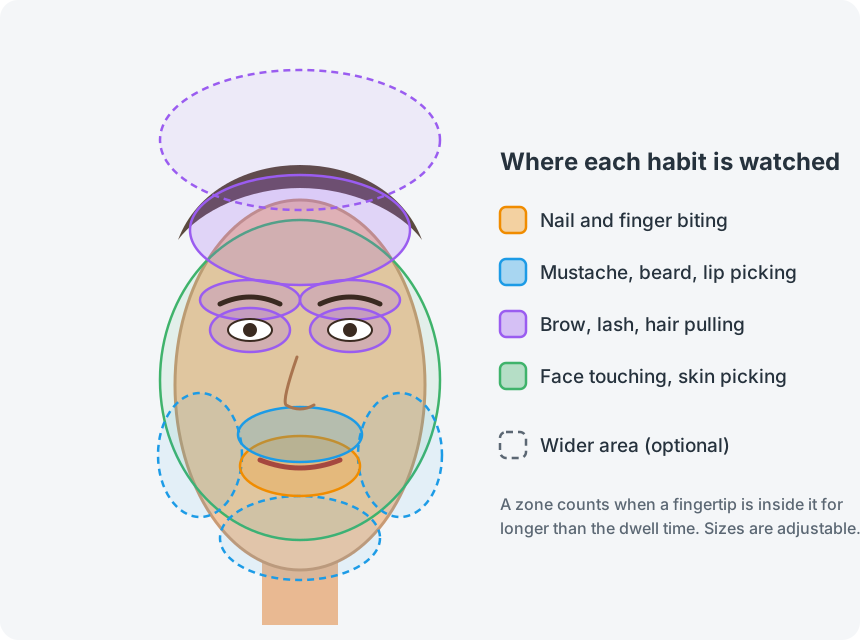
The lips and the area around them.
Between the nose and the mouth. Optionally the chin and the beard line.
Brows, eyelids, forehead and hairline. Optionally the scalp.
The rest of the face, whatever the other habits do not own.
Nail biting and mustache are on by default; the other two are one tick away. Sizes, dwell times and the wider areas are all settings. See zones and tuning.
Every response is a setting. Use one, or all of them together.
A soft chime, then three beeps, then a warbling alarm as you keep going. Or your own sound file (WAV, MP3, ...).
Dim the screen or pulse a red frame on every monitor, until the hand is down.
Says a phrase of your choice with your system's offline voice.
A desktop notification on the first alarm of each episode.
Quieter first, louder and darker the longer the hand stays.
For 15 minutes, an hour or three hours. It resumes by itself.
Alarms per day and habit, a 7-day chart and a clean streak, stored locally as plain numbers.
An adaptive analysis rate and a motion gate keep the CPU near a third of a percent.
All of these, with their ranges, are in the configuration reference.
Habit Guard watches your face and hands, so privacy is designed in, and anyone can check it.
The hand models come from Google's MediaPipe (Apache-2.0), but its runtime contains a usage logger that connects to Google's servers. Habit Guard runs the same weights through OpenCV instead, and the runtime is not shipped.
Every change is scanned for networking code and picture writingNo telemetry, no accounts, no update check, no crash reports. CI fails when any file imports a networking library.
Analysed in memory for a few milliseconds and never written to disk. CI fails on OpenCV's image and video writers.
Your settings and the daily counters, in plain JSON you can read. No images.
The camera device is released, so the webcam light goes out.
The curtain draws over the screen; it never reads it. Keys and clicks are never read.
Habit Guard is alpha software. Here is what has been tried and what has not.
| System | Detection and alarms | Screen curtain | Voice |
|---|---|---|---|
| Windows 10 and 11 | Developed and used here, with a real camera | Yes | Yes |
| macOS | Built for it; CI builds the package and runs its selftest, not yet tried with a camera | Built for it | Yes (say) |
| Linux (X11, Wayland) | Built for it, tested in CI, not yet with a camera | X11; some Wayland compositors may block clicks | With spd-say or espeak |
Installers for all three systems are below, and the tray app also runs from source. Most webcams can be used by one program at a time; if another app holds the camera, Habit Guard waits and retries. The troubleshooting guide covers it.
Free and open source. Released October 2, 2026. Your system is selected.
Windows 10 or 11, 64-bit
Per-user install, no administrator rights. Builds are not code-signed yet: if SmartScreen warns, choose More info → Run anyway.
macOS 14 or later, Apple silicon
Not notarised yet: the first time, right-click the app and choose Open, then allow the camera. Intel Macs can run from source.
x86_64, glibc 2.35+ (Ubuntu 22.04 or newer)
Needs a desktop with a system tray (GNOME needs an extension). The AppImage needs FUSE, or run it with --appimage-extract-and-run.
You need Git and uv, which fetches the right Python itself. Intel Macs use this route too.
uv run habit-guard autostart enable starts it at login.git clone https://github.com/bugraskl/habit-guard.git
cd habit-guard
uv sync
uv run habit-guardNo. A camera picture exists only in memory for a few milliseconds while it is analysed. Nothing is written to disk or sent anywhere, and a scan in CI fails the build if code that could do either is added.
Give that habit a longer dwell time, make its zone smaller, or pause tracking from the tray for a while. The camera preview shows exactly which zone your hand is in.
Yes. Strong reflections on the lenses can hide the eyes, which are used to place the zones; tilt the lamp or the camera slightly if that happens.
Most webcams can be opened by one program at a time. If a call app holds the camera, Habit Guard waits and starts again when the camera is free; you can also pause it from the tray for a set time.
Any webcam, built-in or external. Place it so that your face and both raised hands are in the picture, with light on your face.
No. It is a self-help tool. If a habit hurts you or causes distress, talking to a doctor or therapist is worth it; many people find reminders like this a helpful addition, not a replacement.
Zones are just shapes on the face, so new habits are mostly a matter of drawing one. Open a feature request and describe where your hand goes.
Free, open source and private by design. Setup takes about a minute.